项目背景
📌 导读:Tauri v2 + React 18 跨平台开发实战,XingJu 开发手记。
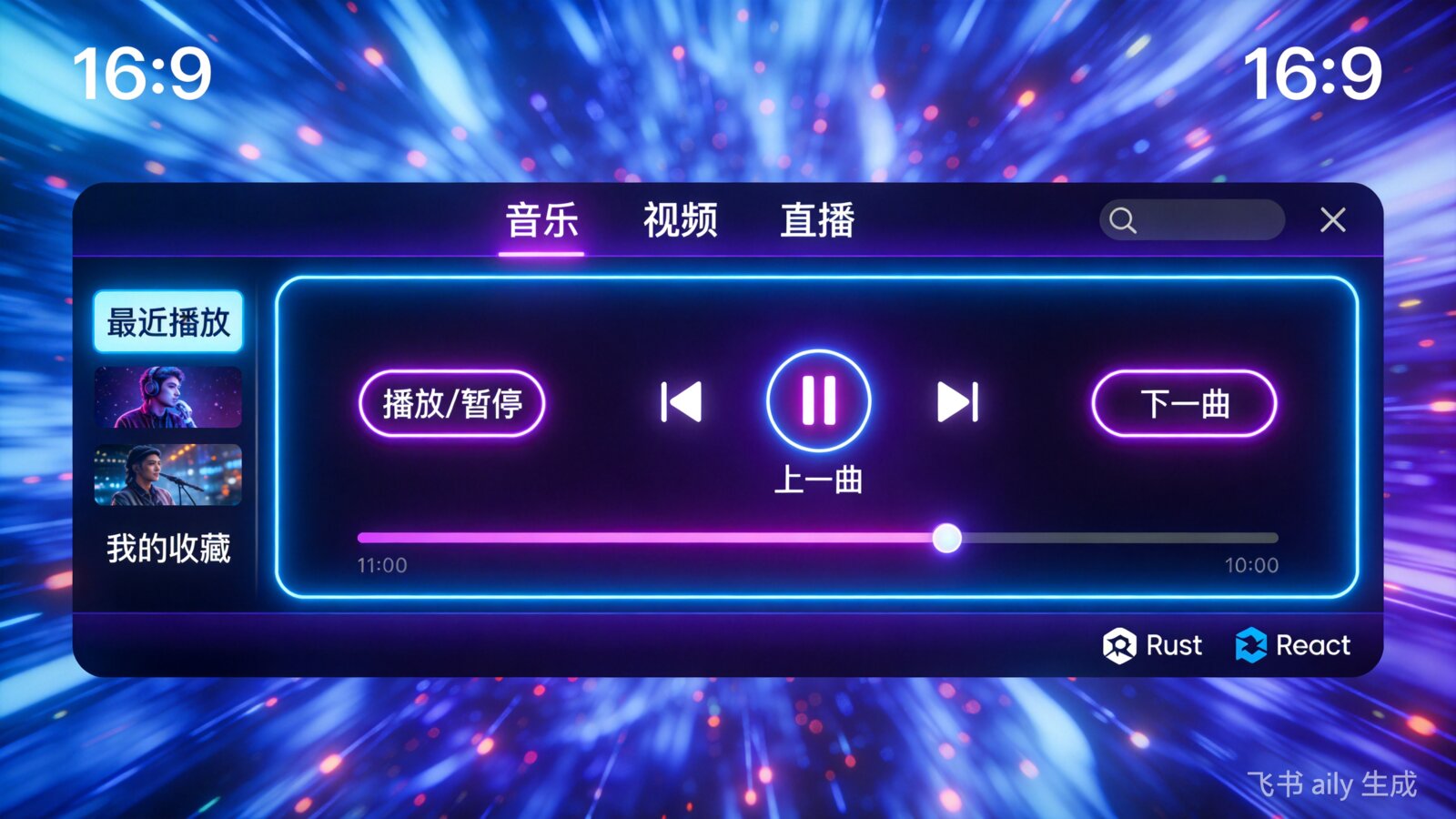
XingJu 星聚 是我最近开发的一款跨平台聚合应用,支持音乐、视频、小说、漫画的多源搜索。本文记录开发过程中的技术选型和实战经验。
技术栈选型
为什么选择 Tauri?
在 Electron 和 Tauri 之间,我最终选择了 Tauri v2:
| 维度 | Electron | Tauri v2 |
|---|---|---|
| 包大小 | 150MB+ | 5-10MB |
| 内存占用 | 高 | 低 |
| 启动速度 | 慢 | 快 |
| 后端语言 | Node.js | Rust |
| 安全性 | 一般 | 优秀 |
| 前端框架 | 任意 | 任意 |
Tauri 的核心优势:
- ✅ 使用系统原生 WebView,无需打包 Chromium
- ✅ Rust 后端,性能和安全性兼备
- ✅ 极小的应用体积
- ✅ 现代的前端开发体验
前端技术栈
XingJu 前端架构
├── React 18 + TypeScript
├── Tailwind CSS (样式)
├── Zustand (状态管理)
├── Vitest (测试)
└── Vite (构建)
项目架构
目录结构
XingJu/
├── src/                    # 前端源码
│   ├── components/         # React组件
│   ├── hooks/             # 自定义Hooks
│   ├── services/          # API服务
│   ├── store/             # Zustand状态
│   ├── styles/            # CSS样式
│   └── test/              # 测试文件
├── src-tauri/             # Rust后端
│   ├── src/
│   │   ├── main.rs        # 主程序
│   │   ├── lib.rs         # 库入口
│   │   └── database.rs    # SQLite数据库
│   └── Cargo.toml         # Rust依赖
├── docs/                  # 文档
└── scripts/               # 构建脚本
核心架构图
┌─────────────────────────────────────────┐
│              XingJu 星聚                 │
├─────────────────────────────────────────┤
│  ┌─────────────┐    ┌─────────────────┐ │
│  │   Frontend  │    │     Backend     │ │
│  │  (React 18) │ ←→ │     (Rust)      │ │
│  ├─────────────┤    ├─────────────────┤ │
│  │ • UI组件    │    │ • SQLite数据库  │ │
│  │ • 状态管理  │    │ • API聚合      │ │
│  │ • 路由控制  │    │ • 缓存管理     │ │
│  │ • 搜索逻辑  │    │ • 配置持久化   │ │
│  └─────────────┘    └─────────────────┘ │
│           ↑↓ Tauri IPC                  │
│  ┌─────────────────────────────────────┐│
│  │       WebView (系统原生)             ││
│  └─────────────────────────────────────┘│
└─────────────────────────────────────────┘
核心实现
1. Tauri 命令(前后端通信)
Rust 后端定义:
// src-tauri/src/lib.rs
use tauri::command;

#[command]
async fn search_music(
    keyword: String,
    source: String,
) -> Result<String, String> {
    // 调用Python API或本地搜索
    let result = music_api::search(&keyword, &source)
        .await
        .map_err(|e| e.to_string())?;

    Ok(result)
}

#[command]
async fn save_history(record: HistoryRecord) -> Result<(), String> {
    let db = DatabaseManager::new()?;
    db.insert_history(&record)
        .map_err(|e| e.to_string())
}前端调用:
// src/services/musicService.ts
import { invoke } from '@tauri-apps/api/core';

export async function searchMusic(
  keyword: string,
  source: string
): Promise<SearchResult[]> {
  const result = await invoke<string>('search_music', {
    keyword,
    source,
  });
  return JSON.parse(result);
}
2. 数据库设计(SQLite)
// src-tauri/src/database.rs
use sqlx::sqlite::SqlitePool;

pub struct DatabaseManager {
    pool: SqlitePool,
}

impl DatabaseManager {
    pub async fn new() -> Result<Self, sqlx::Error> {
        let pool = SqlitePool::connect("sqlite:data.db").await?;

        // 初始化表
        sqlx::query(
            r#"
            CREATE TABLE IF NOT EXISTS history (
                id INTEGER PRIMARY KEY AUTOINCREMENT,
                title TEXT NOT NULL,
                url TEXT NOT NULL,
                source TEXT NOT NULL,
                created_at DATETIME DEFAULT CURRENT_TIMESTAMP
            )
            "#
        )
        .execute(&pool)
        .await?;

        Ok(Self { pool })
    }

    pub async fn insert_history(
        &self,
        record: &HistoryRecord,
    ) -> Result<i64, sqlx::Error> {
        let id = sqlx::query(
            r#"INSERT INTO history (title, url, source) VALUES (?1, ?2, ?3)"#
        )
        .bind(&record.title)
        .bind(&record.url)
        .bind(&record.source)
        .execute(&self.pool)
        .await?
        .last_insert_rowid();

        Ok(id)
    }
}
3. 赛博朋克UI设计
设计系统:
/* styles/design-system.css */
:root {
  /* 赛博朋克配色 */
  --cyber-blue: #00f3ff;
  --cyber-pink: #ff00ff;
  --cyber-yellow: #ffff00;
  --cyber-bg: #0a0a0f;
  --cyber-surface: rgba(18, 18, 26, 0.8);

  /* 阴影系统 */
  --glow-blue: 0 0 10px #00f3ff, 0 0 20px #00f3ff;
  --glow-pink: 0 0 10px #ff00ff, 0 0 20px #ff00ff;
}

/* 玻璃态面板 */
.glass-panel {
  background: var(--cyber-surface);
  backdrop-filter: blur(10px);
  border: 1px solid rgba(0, 243, 255, 0.3);
  border-radius: 12px;
  box-shadow: var(--glow-blue);
}

/* 霓虹文字 */
.neon-text {
  color: var(--cyber-blue);
  text-shadow: var(--glow-blue);
}

/* 动画 */
@keyframes pulse-neon {
  0%, 100% { opacity: 1; }
  50% { opacity: 0.6; }
}

.pulse-animation {
  animation: pulse-neon 2s infinite;
}粒子背景组件:
// src/components/ParticleBackground.tsx
import { useEffect, useRef } from 'react';

interface Particle {
  x: number;
  y: number;
  vx: number;
  vy: number;
  size: number;
}

export function ParticleBackground() {
  const canvasRef = useRef<HTMLCanvasElement>(null);

  useEffect(() => {
    const canvas = canvasRef.current;
    if (!canvas) return;

    const ctx = canvas.getContext('2d')!;
    let particles: Particle[] = [];
    let animationId: number;

    // 根据设备性能调整粒子数量
    const isMobile = window.matchMedia('(pointer: coarse)').matches;
    const particleCount = isMobile ? 8 : 20;

    const resize = () => {
      canvas.width = window.innerWidth;
      canvas.height = window.innerHeight;
    };

    const createParticles = () => {
      particles = [];
      for (let i = 0; i < particleCount; i++) {
        particles.push({
          x: Math.random() * canvas.width,
          y: Math.random() * canvas.height,
          vx: (Math.random() - 0.5) * 0.5,
          vy: (Math.random() - 0.5) * 0.5,
          size: Math.random() * 2 + 1,
        });
      }
    };

    const animate = () => {
      ctx.clearRect(0, 0, canvas.width, canvas.height);

      particles.forEach(p => {
        // 更新位置
        p.x += p.vx;
        p.y += p.vy;

        // 边界反弹
        if (p.x < 0 || p.x > canvas.width) p.vx *= -1;
        if (p.y < 0 || p.y > canvas.height) p.vy *= -1;

        // 绘制粒子
        ctx.beginPath();
        ctx.arc(p.x, p.y, p.size, 0, Math.PI * 2);
        ctx.fillStyle = '#00f3ff';
        ctx.fill();
      });

      // 绘制连线
      particles.forEach((p1, i) => {
        particles.slice(i + 1).forEach(p2 => {
          const dx = p1.x - p2.x;
          const dy = p1.y - p2.y;
          const dist = Math.sqrt(dx * dx + dy * dy);

          if (dist < 100) {
            ctx.beginPath();
            ctx.moveTo(p1.x, p1.y);
            ctx.lineTo(p2.x, p2.y);
            ctx.strokeStyle = `rgba(0, 243, 255, ${1 - dist / 100})`;
            ctx.stroke();
          }
        });
      });

      animationId = requestAnimationFrame(animate);
    };

    resize();
    createParticles();
    animate();

    window.addEventListener('resize', () => {
      resize();
      createParticles();
    });

    return () => {
      cancelAnimationFrame(animationId);
    };
  }, []);

  return (
    <canvas
      ref={canvasRef}
      className="fixed inset-0 pointer-events-none"
      style={{ zIndex: -1 }}
    />
  );
}
4. 性能优化
图片懒加载
// src/components/LazyImage.tsx
import { useEffect, useRef, useState } from 'react';

interface LazyImageProps {
  src: string;
  alt: string;
  className?: string;
}

export function LazyImage({ src, alt, className }: LazyImageProps) {
  const [isLoaded, setIsLoaded] = useState(false);
  const [isInView, setIsInView] = useState(false);
  const imgRef = useRef<HTMLImageElement>(null);

  useEffect(() => {
    const observer = new IntersectionObserver(
      ([entry]) => {
        if (entry.isIntersecting) {
          setIsInView(true);
          observer.disconnect();
        }
      },
      { rootMargin: '50px' }
    );

    if (imgRef.current) {
      observer.observe(imgRef.current);
    }

    return () => observer.disconnect();
  }, []);

  return (
    <div
      ref={imgRef}
      className={`relative overflow-hidden ${className}`}
    >
      {!isLoaded && (
        <div className="absolute inset-0 bg-gray-800 animate-pulse" />
      )}
      {isInView && (
        <img
          src={src}
          alt={alt}
          className={`w-full h-full object-cover transition-opacity duration-300 ${
            isLoaded ? 'opacity-100' : 'opacity-0'
          }`}
          onLoad={() => setIsLoaded(true)}
        />
      )}
    </div>
  );
}
状态管理(Zustand)
// src/store/appStore.ts
import { create } from 'zustand';
import { persist } from 'zustand/middleware';

interface AppState {
  theme: 'cyberpunk' | 'light';
  sidebarCollapsed: boolean;
  activeModule: 'music' | 'video' | 'novel' | 'manga';

  setTheme: (theme: 'cyberpunk' | 'light') => void;
  toggleSidebar: () => void;
  setActiveModule: (module: AppState['activeModule']) => void;
}

export const useAppStore = create<AppState>()(
  persist(
    (set) => ({
      theme: 'cyberpunk',
      sidebarCollapsed: false,
      activeModule: 'music',

      setTheme: (theme) => set({ theme }),
      toggleSidebar: () =>
        set((state) => ({ sidebarCollapsed: !state.sidebarCollapsed })),
      setActiveModule: (activeModule) => set({ activeModule }),
    }),
    {
      name: 'xingju-storage',
    }
  )
);
开发经验总结
1. Tauri 开发技巧
| 技巧 | 说明 |
|---|---|
| 命令返回值 | 使用 Result<T, String> 统一错误处理 |
| 异步命令 | 使用 async fn 支持异步操作 |
| 窗口控制 | 通过 tauri::Window API 控制窗口行为 |
| 事件通信 | 使用 emit 和 listen 实现双向事件 |
2. 调试技巧
# 开发模式(热更新)
npm run tauri dev

# 前端独立调试
npm run dev

# 构建生产版本
npm run tauri build

# 查看Rust日志
RUST_BACKTRACE=1 npm run tauri dev
3. 常见问题
问题1:窗口无法拖动
解决:在 tauri.conf.json 中启用装饰边框
{
  "app": {
    "windows": [
      {
        "decorations": true
      }
    ]
  }
}
问题2:API调用失败
解决:检查 tauri.conf.json 权限配置
{
  "permissions": [
    "core:default",
    "shell:allow-open"
  ]
}
问题3:构建体积过大
解决:优化依赖,使用 cargo bloat 分析
cargo install cargo-bloat
cargo bloat --release -n 20
发布流程
自动化构建(GitHub Actions)
# .github/workflows/release.yml
name: Release

on:
  push:
    tags:
      - 'v*'

jobs:
  build:
    strategy:
      matrix:
        platform: [ubuntu-20.04, windows-latest]
    runs-on: ${{ matrix.platform }}

    steps:
      - uses: actions/checkout@v4

      - name: Setup Node
        uses: actions/setup-node@v4
        with:
          node-version: 20

      - name: Setup Rust
        uses: dtolnay/rust-action@stable

      - name: Install dependencies
        run: npm install

      - name: Build Tauri
        run: npm run tauri build

      - name: Upload artifacts
        uses: actions/upload-artifact@v4
        with:
          name: xingju-${{ matrix.platform }}
          path: src-tauri/target/release/bundle/**
成果展示
| 指标 | 数据 |
|---|---|
| 应用体积 | ~8MB (Windows) |
| 启动时间 | < 2秒 |
| 内存占用 | ~80MB |
| 代码行数 | ~5000行 (Rust+TS) |
| 测试覆盖率 | ~70% |
总结
Tauri v2 是一个非常优秀的跨平台桌面应用开发框架,特别适合:
- 对应用体积敏感的项目
- 需要高性能后端的项目
- 熟悉前端技术的开发者
XingJu 项目验证了 Tauri 在生产环境中的可行性,推荐给大家尝试!
项目地址: https://github.com/xfengyin/XingJu
最后更新: 2026-04-03